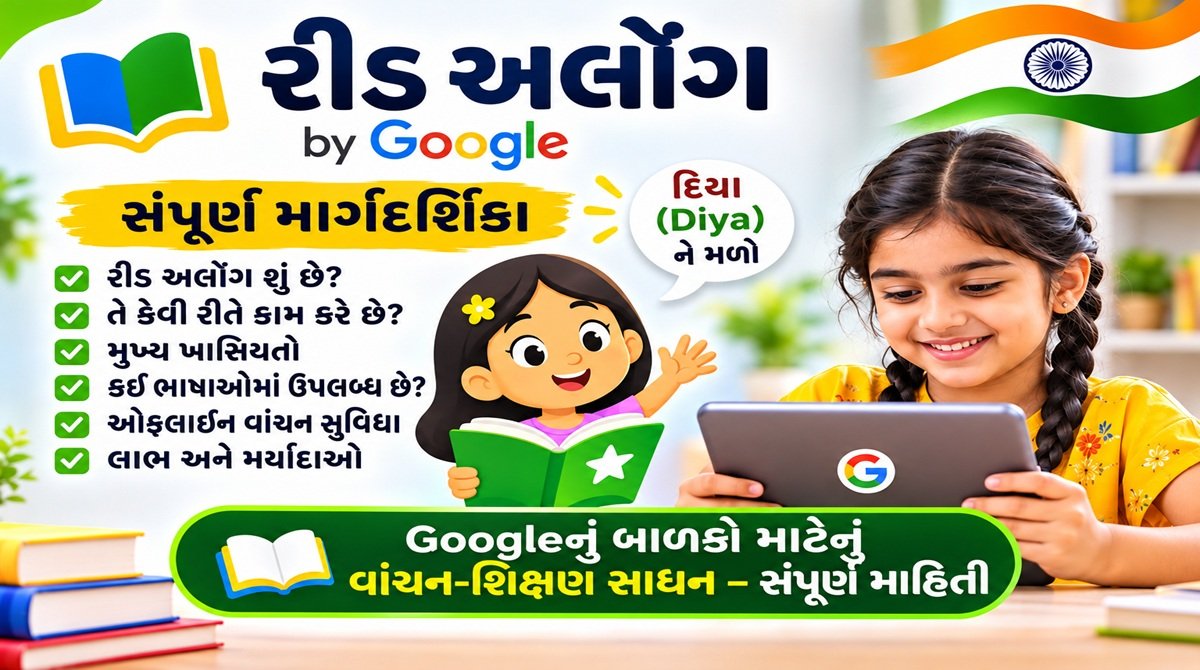
Learn about Read Along by Google, how its reading assistant works, supported languages, offline reading, features, privacy details and limitations for children.
Developing reading skills is an important part of a child’s education, particularly during the early years of learning. Children need opportunities to read aloud, recognize words, improve pronunciation and build confidence while reading. Digital learning tools have introduced new ways to support these activities at home and in classrooms.
Read Along by Google is a digital reading tool designed to help children practise reading aloud with assistance from an in-app reading companion called Diya. The tool listens as children read stories and provides feedback or assistance when they have difficulty with certain words.
Read Along offers illustrated stories, reading activities and interactive features intended to support early reading development. It is designed to allow children to practise at their own pace, while parents and educators can use it as an additional resource for reading activities.
In this guide, we explain what Read Along is, how it works, its features, supported languages, offline capabilities, privacy considerations and its limitations.
What Is Read Along by Google?
Read Along is a reading-learning tool developed by Google to help children practise reading aloud and improve their reading confidence.
The platform uses speech recognition technology to listen to children as they read text aloud. Its reading companion, Diya, provides assistance when learners struggle with words and offers encouragement during reading activities.
Read Along includes illustrated books, stories and word-based activities. The reading content is organised to support learners with different reading abilities, allowing children to practise at their own pace.
The platform is designed primarily for children who are developing foundational reading skills, particularly those who are beginning to read independently.
How Does Read Along Work?
Read Along works by combining digital stories with speech recognition technology.
When a child opens a story and begins reading aloud, the reading companion listens to the child’s speech. When the learner encounters difficulty, the system can provide assistance with pronunciation or reading the text.
The basic learning process includes:
- Choosing a story from the available library.
- Reading the story aloud.
- Receiving assistance with difficult words.
- Practising reading and pronunciation.
- Completing reading activities and games.
- Earning rewards for reading progress.
The reading companion can help learners with words they may not understand or pronounce correctly. Children can also interact with the reading assistant for additional help during some activities.
The aim is to provide an opportunity for independent reading practice without requiring an adult to assist with every word.
Official reference sources:
- Google Read Along Official Website
- Read Along Supported Languages
- Read Along Features and Information
- Read Along on Google Play
Key Features of Read Along
1. Reading Companion Diya
Diya is the in-app reading companion that assists children while they read. It uses speech recognition technology to respond to reading activities and provide help when learners encounter difficulties.
The reading companion is intended to make reading practice more interactive and encourage children to continue learning.
2. Illustrated Story Library
Read Along includes a collection of illustrated stories and reading materials.
Children can select stories according to their interests and reading abilities. Illustrated content can help younger learners connect words with visual information, making reading activities more engaging.
Some stories and materials may be organised according to themes or difficulty levels.
3. Pronunciation Assistance
The platform provides assistance when children struggle to read words aloud. Learners can receive support with pronunciation and, in supported activities, listen to words or text.
This can be helpful for children who are practising reading independently and need additional guidance.
4. Reading Games and Activities
Read Along includes interactive activities and word games that complement reading practice.
These activities can help children practise word recognition, spelling-related skills and other foundational literacy concepts through a more interactive learning experience.
5. Stars and Rewards
The platform includes reward elements such as stars and badges.
These features are designed to encourage children to participate in reading activities and continue practising. However, rewards should be viewed as motivational elements rather than direct measures of a child’s reading ability.
6. Multiple Reader Profiles
The Android experience supports multiple reader profiles, allowing different children to use the same device and maintain separate learning progress.
This can be useful for families where more than one child uses a shared smartphone or tablet.
7. Reading Progress Tracking
The platform includes activity and progress information that can help learners or parents review reading activity.
Depending on the experience and features available, progress information may include completed stories, reading activity and other learning-related details.
Also Read This:
- Duolingo App: How It Works, Features, Languages and Learning Limitations
- Anubandham Portal Gujarat: Registration, Login & Job Search
Which Languages Are Supported by Read Along?
Read Along supports multiple languages, although availability can vary depending on the platform, experience and version.
Google’s supported-language information for the Read Along mobile and web experience includes languages such as:
- English
- Hindi
- Gujarati
- Bangla
- Marathi
- Tamil
- Telugu
- Urdu
- Arabic
- Portuguese
- Spanish
Language availability and reading content can vary by platform and version. Check the official language settings for the current list.
The availability of regional languages can make reading practice more accessible to children who are more comfortable learning in their native language.
Does Read Along Work Offline?
Yes, the Read Along Android experience supports offline reading after the relevant content has been downloaded.
The Android version is designed to work with limited connectivity. Children can download stories and access supported reading activities without needing a continuous internet connection for every session.
However, some languages or features may require an internet connection. Google also provides a web experience, which has different connectivity and account requirements.
Offline availability therefore depends on the version being used, downloaded content and the features involved.
Is Read Along Free?
Read Along is available at no charge through its supported experiences.
The official Read Along information states that its mobile app and web experience are available free of charge. Read Along in Google Classroom is also available to eligible educational institutions through Google Workspace for Education.
Availability and requirements may vary depending on the platform and educational account setup.
Read Along Privacy and Safety
Since Read Along is designed for children, privacy is an important consideration.
According to Google’s official information, voice data is primarily processed on the user’s device in the Read Along experience. In limited cases, voice data may be temporarily sent to Google servers for real-time speech recognition. Google states that voice data is not stored after processing.
The platform also offers ways to use the mobile experience without providing certain personal information such as location or contact details.
Parents and guardians should still review the applicable privacy information, account requirements and settings before allowing children to use any digital learning platform.
Advantages of Read Along
- Provides reading practice for children.
- Offers assistance while children read aloud.
- Includes illustrated stories and reading activities.
- Supports multiple languages.
- Offers offline functionality in the Android experience.
- Includes interactive reading games.
- Provides motivational rewards.
- Supports multiple reader profiles.
- Can be used as an additional reading resource at home.
Limitations of Read Along
Not a Replacement for Teachers or Parents
Read Along can support reading practice, but it cannot fully replace guidance from parents, teachers or trained educators.
Children may still need help understanding the meaning of stories, developing comprehension and discussing what they read.
Speech Recognition May Not Always Be Perfect
Speech recognition technology can sometimes have difficulty understanding pronunciation, accents, background noise or certain speech patterns.
Children should not assume every recognition result accurately reflects their reading ability.
Reading Comprehension Requires More Than Reading Aloud
Reading aloud is one part of literacy development. Children also need to understand stories, recognise meaning, develop vocabulary and learn to interpret information.
Additional activities may be needed to develop these skills.
Content Availability May Vary
The available stories, languages and activities may vary according to the platform and version.
How Parents Can Use Read Along Effectively
Parents can use Read Along as one part of a broader reading routine.
- Encourage children to read regularly.
- Let children choose stories appropriate to their reading level.
- Ask children to explain what they read.
- Discuss new words and their meanings.
- Encourage reading printed books as well.
- Help children practise reading without relying only on rewards.
- Monitor progress and provide encouragement.
Combining digital reading practice with conversations, traditional books and classroom activities can provide a more balanced learning experience.