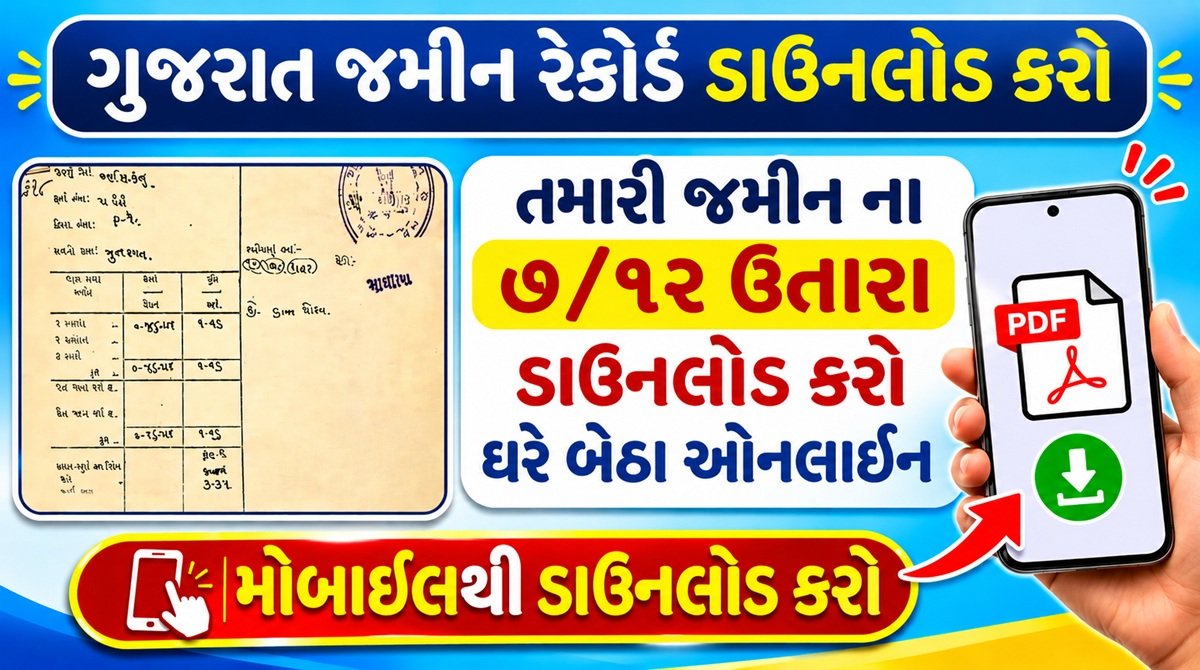
Check AnyRoR Gujarat land records online. Download 7/12 Utara, 8A Khata, VF-6 mutation entries and Gujarat property records through the official portal.
Residents of Gujarat can access their land records online through the AnyRoR Gujarat portal, an online land-record facility provided by the Gujarat Revenue Department. Through this portal, citizens can check important land-related information, including 7/12 Utara, 8A Khata details, VF-6 mutation entries and other available rural land records.
The AnyRoR Gujarat Online Land Record Portal makes it easier for farmers, landowners, property buyers and citizens to access land-related information without having to visit a government office just to view records.
If you want to check your agricultural land details, survey number, land ownership records, Khata details or mutation information, you can use the official website of AnyRoR Gujarat.
In this guide, we explain how to check Gujarat land records online, how to view 7/12 Utara and 8A records, what VF-6 means, how to access urban property records and which official websites are useful for land-related services.
AnyRoR Gujarat Portal – Overview
| Details | Information |
|---|---|
| Portal Name | AnyRoR Gujarat |
| Full Name | Any Records of Rights Anywhere |
| Department | Revenue Department, Government of Gujarat |
| Official Website | anyror.gujarat.gov.in |
| Main Services | Land Records, 7/12, 8A, VF-6 |
| Rural Land Records | Available through the rural records section |
| Urban Records | Property-related record services |
| State | Gujarat |
| Beneficiaries | Farmers, Landowners, Citizens and Property Buyers |
| Access | Online |
What is AnyRoR Gujarat?
AnyRoR Gujarat is an online land-record platform that allows citizens to access land-related records in Gujarat through the internet.
AnyRoR stands for Any Records of Rights Anywhere. The portal is used to access land-record information such as the 7/12 Utara, 8A Khata and other available revenue records.
The platform helps citizens access land information without necessarily visiting the Talati office or other revenue offices for basic record viewing.
People commonly use AnyRoR Gujarat for:
- Checking agricultural land records.
- Viewing 7/12 Utara online.
- Checking 8A Khata details.
- Viewing available VF-6 mutation entries.
- Checking survey number and block number details.
- Accessing land-related information.
- Checking land records before property-related transactions.
Official AnyRoR Gujarat Website
You can access the official Gujarat land records portal using the link below.
AnyRoR Gujarat – Official Website
Always use the official government website when checking land records. Avoid entering personal information on unofficial websites that imitate government portals.
Also Use This:
- Can DiskDigger Recover Photo?
- Age Calculator Online – Calculate Your Exact Age by Date of Birth
- BMI Calculator Online – Check BMI by Height & Weight
- EMI Calculator – Calculate Monthly Loan EMI
How to Check 7/12 Utara Online in Gujarat?
If you want to check your Gujarat land record or 7/12 Utara online, follow these steps.
Step 1: Visit the AnyRoR Gujarat Website
Open the official website:
Step 2: Select the Rural Land Record Option
On the website, select the appropriate option for viewing rural land records.
Step 3: Select the Record Type
Choose the land-record option you need, such as the available VF-7 or 7/12-related record.
Step 4: Enter Land Details
Depending on the selected search option, enter the required details, such as:
- District
- Taluka
- Village
- Survey Number or Block Number
Step 5: Enter the Captcha
Enter the captcha displayed on the screen to continue.
Step 6: View Your Land Record
After submitting the required details, the portal may display the available land-record information for the selected land.
You can review the information displayed on the screen.
The portal interface and available search options may change. Follow the current instructions displayed on the official website.
How to Check 8A Khata Online in Gujarat?
The 8A Khata record is an important land-related document used to view account-related land information.
If you want to check your 8A Khata details online, follow these steps:
- Visit the official AnyRoR Gujarat website.
- Select the rural land-record section.
- Select the available 8A or Khata-related record option.
- Enter the required district, taluka and village details.
- Enter the Khata number or other required information.
- Enter the captcha.
- Submit the information to view the available record.
The available information and search options may vary depending on the record type and portal interface.
What is 7/12 Utara in Gujarat?
The 7/12 Utara, commonly known as Satbara Utara, is an important land-record document in Gujarat.
It is associated with Village Forms 7 and 12 and provides information relating to a particular land parcel, depending on the record and its entries.
Landowners and farmers commonly refer to the 7/12 Utara when checking agricultural land information.
The document may contain details such as:
- Landholder-related information.
- Survey or block number.
- Land area.
- Land-related rights and entries.
- Cultivation-related information.
- Other available land-record details.
The exact information depends on the record and the entries maintained by the revenue authorities.
What is 8A Khata in Gujarat?
The 8A Khata (Village Form 8A) is an account-related land record.
It is commonly used to view land details associated with a particular Khata or account holder in a village.
The 8A record can help landowners understand the land parcels associated with a land account.
What is VF-6 Mutation Entry?
VF-6 is commonly associated with the village mutation-entry register.
Mutation entries are related to changes recorded in land rights or ownership-related revenue records, depending on the nature of the transaction or event.
These entries may be associated with situations such as:
- Inheritance.
- Sale or transfer of land.
- Changes in recorded rights.
- Other revenue-record changes.
Citizens can use the available VF-6-related record facilities to review relevant mutation information.
A mutation entry in a revenue record should not be treated as a complete legal title verification. Property buyers should independently verify legal documents and property history.
How to Check Gujarat Land Records by Survey Number?
You can use the available land-record search options to locate land records using the survey number or block number, where supported.
Follow these steps:
- Open AnyRoR Gujarat.
- Select the rural land-record section.
- Select the appropriate record type.
- Select the district.
- Select the taluka.
- Select the village.
- Enter the survey number or block number if the selected search requires it.
- Enter the captcha.
- Submit the details.
This can help you locate available information about a particular land parcel.
How to Check Gujarat Property Card Online?
Urban property records may be available through the relevant property-record services linked with the Gujarat Revenue Department.
If you are looking for city property-related records, use the official government portal and select the appropriate urban or property-card service.
The available options may differ from the rural land-record system.
You can also visit the Gujarat Revenue Department’s official website to find information about government revenue services.
AnyRoR Gujarat for Land Buyers – Why Land Records Matter
If you are planning to purchase agricultural land, a plot, a house or other property in Gujarat, reviewing available land records can be an important part of your preliminary research.
Land-record information may help you understand certain details relating to the recorded land parcel.
Before purchasing land or property, buyers should consider checking:
- Available land-record details.
- Survey or block number.
- Recorded landholder information.
- Relevant mutation entries.
- Sale deed and registration documents.
- Encumbrance-related information.
- Property title documents.
- Applicable land-use permissions.
- Pending disputes or litigation, where relevant.
Important: Checking the AnyRoR record alone does not guarantee that a property has a clear title. Before a property transaction, consider obtaining professional legal verification from a qualified property lawyer.
Can You Use AnyRoR Gujarat for Property Loan or Bank Loan Verification?
Land records can be useful when preparing documents for certain land-related financial transactions.
However, banks and financial institutions may require additional documents depending on the type of loan and the property.
For example, a lender may request documents relating to:
- Land ownership.
- Property title.
- Registered sale deeds.
- Land records.
- Encumbrance information.
- Loan-related legal verification.
- Property valuation.
If you are applying for an agricultural loan, land loan, mortgage loan or property loan, you should check the document requirements directly with your bank or lender.
This section is informational and does not guarantee loan eligibility or approval.
How to Get a Digitally Signed Land Record in Gujarat?
If you need a land record for official purposes, a digitally signed or certified record may be required instead of a basic online viewing record.
The appropriate service and requirements may depend on the type of document and the purpose for which it is needed.
The Gujarat Revenue Department provides additional online revenue services through its official systems.
You should check the official portal for the current availability, application procedure, charges and requirements.
Important Official Gujarat Land Record Websites
| Service | Official Website |
|---|---|
| AnyRoR Gujarat Land Records | https://anyror.gujarat.gov.in |
| Gujarat Revenue Department | https://revenuedepartment.gujarat.gov.in |
| iORA Revenue Services | https://iora.gujarat.gov.in |
| gARVI Registration Services | https://garvi.gujarat.gov.in |
| e-Milkat Property Records | https://e-milkat.gujarat.gov.in |
Check the availability of the specific service on the respective government website before proceeding.
Frequently Asked Questions (FAQs)
What is the official AnyRoR Gujarat website?
The official AnyRoR Gujarat website is https://anyror.gujarat.gov.in, which is used to access available Gujarat land-record services.
How can I check 7/12 Utara online in Gujarat?
Visit the official AnyRoR Gujarat website, select the rural land-record option, enter the required district, taluka, village and survey-related information, and submit the details.
Can I check Gujarat land records online for free?
Basic land-record viewing services may be available online without a viewing fee. Fees or other requirements may apply to certain official, digitally signed or certified documents and services.
What is the difference between 7/12 and 8A?
The 7/12 Utara relates to land-parcel information, while 8A is an account-related record associated with a Khata or account holder.
What is VF-6 in Gujarat?
VF-6 is associated with the village mutation-entry register and may contain information about changes recorded in land rights or revenue records.
Can I check land records using a survey number?
The AnyRoR portal provides search options that may allow citizens to locate records using survey or block number details, depending on the selected service.
Can I use AnyRoR land records for a bank loan?
Land records may form part of the documents required by banks or financial institutions. However, loan eligibility and document requirements depend on the lender.
Is AnyRoR Gujarat an official government website?
Yes. AnyRoR Gujarat is the land-record portal associated with the Gujarat Revenue Department. Citizens should use the official government website.
Can AnyRoR Gujarat records prove complete ownership of land?
Land records are important revenue documents, but they should not be considered a complete substitute for legal title verification. Property buyers should review all relevant documents and seek legal advice where necessary.
Can I check Gujarat land records from my mobile phone?
You can access the website through a compatible mobile browser. The website’s functionality may vary depending on your device, browser and internet connection.
The AnyRoR Gujarat portal is an important online facility for citizens who want to access Gujarat land-record information. Using the official website, people can check available records such as 7/12 Utara, 8A Khata and VF-6 mutation-related details.
Whether you are a farmer, landowner, property buyer or citizen looking for land-related information, the online land-record system can help you access relevant information more conveniently.
Before making any property purchase, financial transaction or legal decision, always verify the required documents with the appropriate government authority or a qualified professional.
For the latest updates on Gujarat government services, online facilities, recruitment, schemes and important information, keep visiting GujaratAsmita.in.